Table of Contents
Planning Prioritization
Table of Contents
Overview
Project Summary
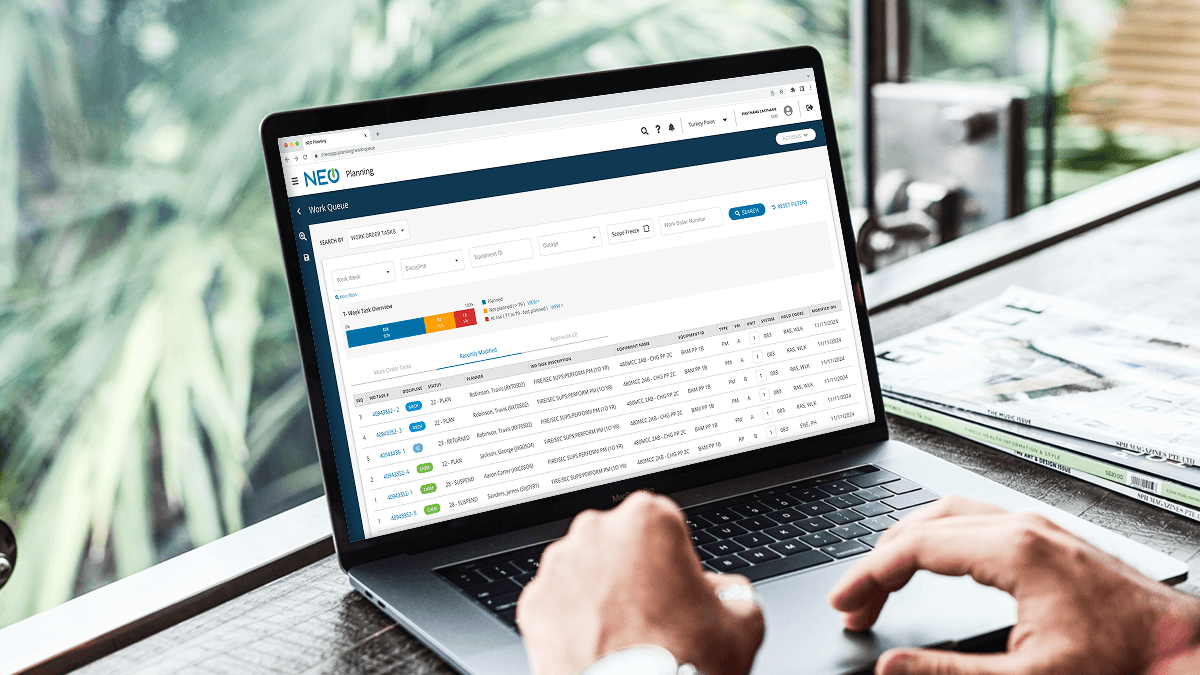
NEO Planning is the preparation engine for the NextEra One ecosystem. Before a maintenance task can be scheduled, it must be fully "vetted"—this involves securing clearance orders, procuring materials, and drafting precise technical instructions. While we had successfully migrated many features into our native app, a critical bottleneck remained: the Work Queue. The existing Work Queue was intended to be the primary entry point for planners (where they would search for tasks to start planning), but it had become a "ghost town." Planners were forced back into fragmented third-party tools because the internal app couldn't help them answer the most important question of their day: "What do I need to work on right now?"
The Solution
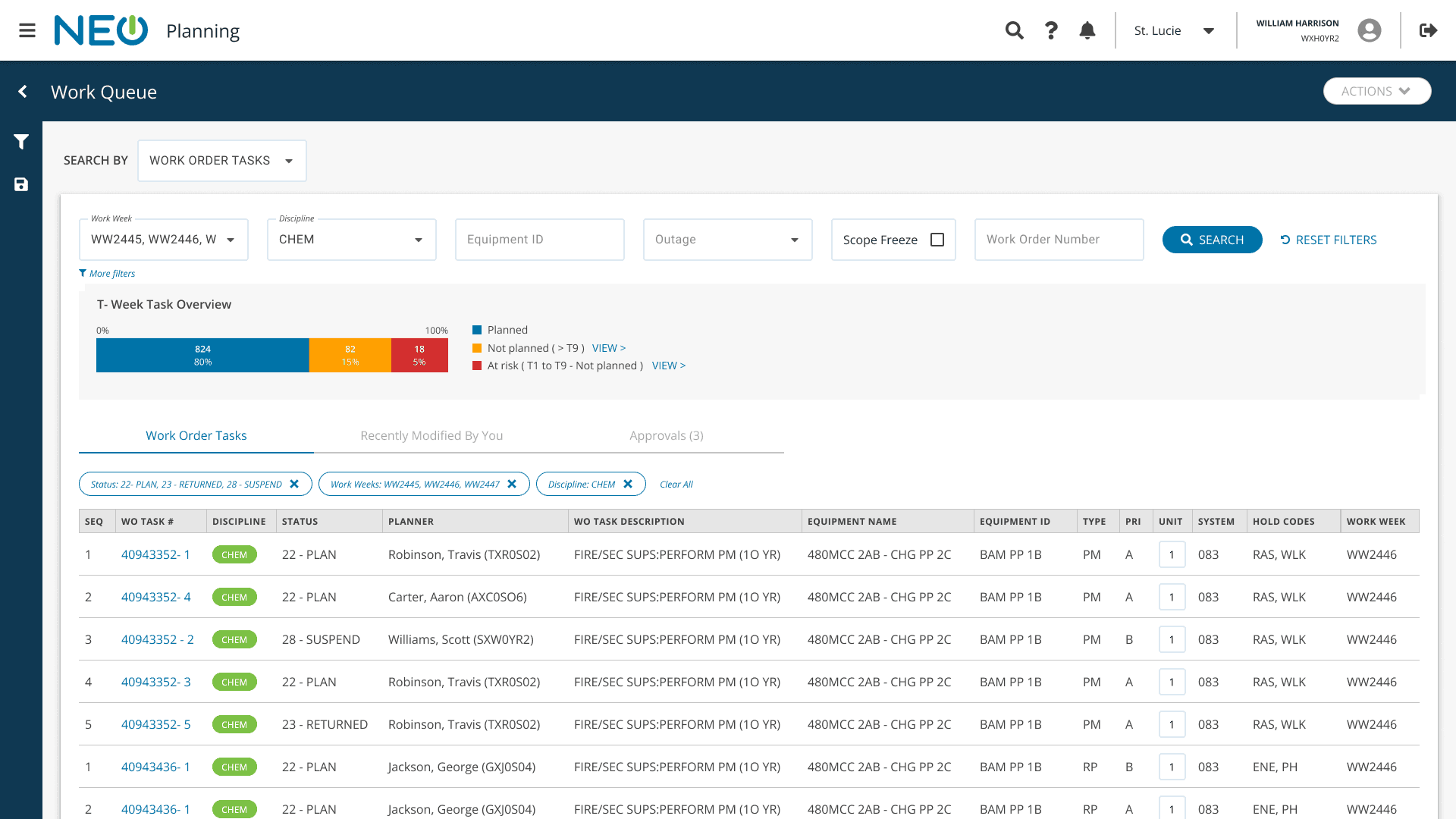
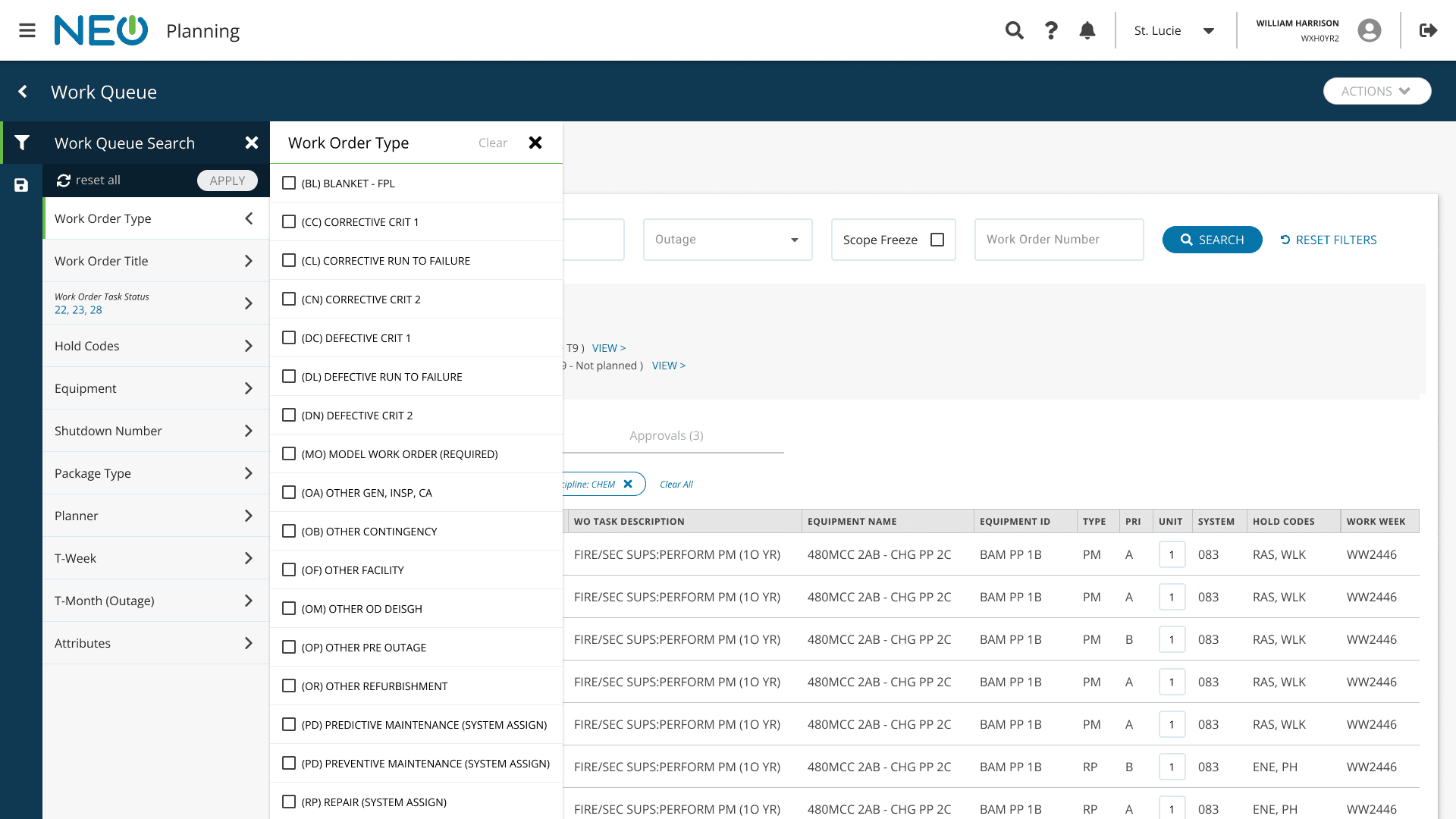
I designed a high-performance, multi-persona Work Queue that transformed NEO Planning into a true "home base." The new interface introduced native priority management, robust data-density optimizations, and a flexible filtering system tailored to the unique workflows of both planners and supervisors.
Results
Decreased time spent by planners looking for tasks to plan
Design updates improved work queue performance (load times)
Improved user sentiment measured by SUS and NPS scores
Full ecosystem adoption by planning workforce
My Role
Product Designer
Launch Date
Q2 2025
Who We Helped
Directly:
Nuclear Planners
Planning Managers
Indirectly:
Work Execution Supervisors
Final Designs
Searching for Tasks
Using Additional Filters
Recently Modified Tasks
Process
In this section, we will walk through phases of the design process an go into detail about the process and methods we used to arrive at the solution that was developed into a live product.
Nuclear Planning Fundamentals
The "T-Week" Countdown
Nuclear maintenance operates on a T-Week schedule, which measures how many weeks remain until a task is executed on the plant floor.
T-0:
The week of execution.
T-9 (Scope Freeze):
The most critical milestone. By T-9, all planning—including materials, permits, and instructions—must be finalized. No changes are permitted after this point. This "Scope Freeze" is the primary driver of a planner's workload.
Online vs. Outage Work
Online Work:
Routine maintenance performed while the plant is running.
Outage Work:
Maintenance performed during a scheduled shutdown. Because the plant produces no energy during an outage, these tasks are extremely time-sensitive and always take priority over online work.
Domains & Disciplines
Planners operate within specific "domains" based on their expertise and seniority. A junior planner might only handle Electrical tasks at Site A, while a senior planner might manage Multiple Disciplines across Sites A and B. The system must filter thousands of global tasks down to the specific "slice" relevant to that individual.
The Final Gate: Supervisor Approval
A task is not "Ready-to-Work" until it is approved. Typically, a Crew Supervisor (e.g., Mechanical Supervisor at Site A) must review and sign off on the plan. This creates a secondary user need: supervisors require a streamlined way to find and batch-approve tasks waiting in their specific queue.
Design Process
Discovery: Understanding the Planner’s Mental Model
To understand why the existing Work Queue was failing, I began with a deep dive into the planners' current workarounds. I conducted contextual inquiries and shadowed planners at multiple sites to see how they managed "T-9" deadlines across Power BI dashboards and various third-party tools.
The Key Insight: I discovered that prioritization isn't static. It’s a constant tug-of-war between Outage vs. Online work and the ticking clock of the T-Week milestones. I synthesized these findings into a core feature set focused on reducing the "search time" so planners could spend more time "planning."
Defining the MVP
Collaborating with the Product Owner, we prioritized a lean but powerful feature set for our initial release:
Dynamic Prioritization:
An interactive "T-Week" dashboard.
Dual-Layer Navigation:
Primary global search with a robust sidebar for "long-tail" filters.
Persona-Driven Views:
A dedicated queue for supervisor approvals.
Multi-Grain Views:
The ability to toggle between high-level Work Orders and granular Tasks.
Iterative Design: Designing for Interruptions
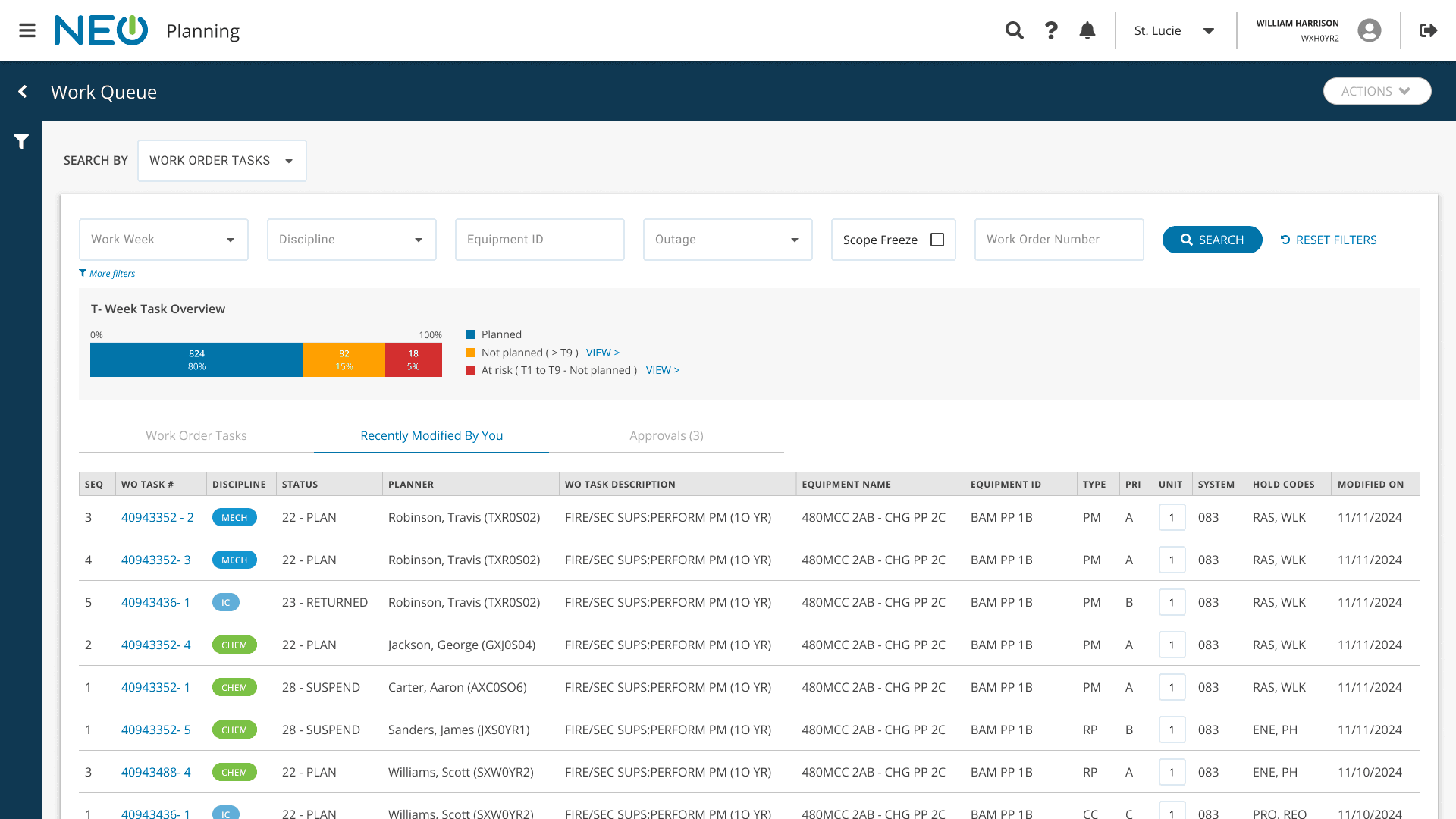
We moved straight into mid-fidelity wireframes, focusing on information density and hierarchy. During this phase, I introduced a "Recently Modified" feature. The reasoning behind this was that nuclear planning is rarely a linear task. Through research, I saw that planners are constantly interrupted by meetings or plant emergencies. By providing a "pick up where you left off" section, I significantly reduced the cognitive load required to re-orient themselves after an interruption.
Usability Testing & Refinement
I conducted moderated usability testing by coupling this project with a redesign of the Work Order page. This allowed us to test the end-to-end flow: from finding a task in the queue to executing the plan.
Two Critical Piovts:
Saved Views for Efficiency:
Testers noted that they were manually reapplying the same filters (e.g., "Electrical" + "Site A") every single morning. I leveraged a Saved View component I had previously designed for the NEO Scheduling app, allowing users to set personalized defaults.
Optimizing Screen Real Estate:
The "Recently Modified" section originally felt clunky. We iterated this into a Tab-based layout, which improved responsiveness across varying monitor sizes and allowed the development team to reuse existing table components, speeding up the build.
Results
The redesign of the Work Queue successfully transitioned the nuclear planning workforce from a fragmented landscape of third-party tools into a unified, high-performance home base within the NEO ecosystem.
100% Ecosystem Adoption
We achieved the primary business objective of decommissioning third-party workarounds. The planning department now operates exclusively within the native NEO Planning application for work prioritization.
Performance Engineering (The "10-Task" Rule)
To solve crippling latency issues, I collaborated with engineering to implement a tiered loading strategy. By prioritizing the immediate visibility of the first 10 tasks while the remaining data fetched in the background, we eliminated the "loading lag" that previously hindered user productivity.
Measurable Sentiment Lift
Following the rollout, we tracked a significant increase in both System Usability Scale (SUS) and Net Promoter Scores (NPS). Users specifically cited the intuitive prioritization and speed of the interface as primary drivers of their improved experience.
Drastic Reduction in Discovery Friction
While no "baseline" data existed for the previous manual processes, qualitative feedback from planners was unanimous: the time spent searching for work significantly decreased. Planners moved from "searching for what to do" to "actually planning" almost immediately upon login.
Management Visibility
For the first time, planning management gained a real-time, departmental-level visualization of their T-9 milestone health. This dashboard allows leadership to identify bottlenecks and resource gaps before they impact the plant's execution schedule.
Social